




Working from anywhere sounds simple until the Wi-Fi drops five minutes before a client call. This guide to digital nomad essentials covers what actually matters: a reliable work setup, staying connected and powered, keeping your data safe, and the paperwork – visas, insurance and documents – that many new remote workers underestimate.
A work setup that travels well
Your laptop is your office, so choose it for battery life, weight and reliability rather than raw power you will not use. A few small extras make a big difference over months on the road:
- A folding laptop stand and a compact keyboard – raising the screen to eye level saves your neck during long days at café tables.
- Noise-cancelling headphones with a good microphone – for calls in busy cafés, co-working spaces and airports.
- A universal travel adapter – plug types and voltages differ from country to country.
- A small extension lead or multi-socket – handy when a hostel or café has only one free outlet.
Power: chargers and power banks
One compact multi-port USB-C charger that can power your laptop and phone together replaces a bag full of bricks. Add a power bank for long travel days, and check the rules before you fly: in the United States, the FAA allows spare lithium batteries and power banks up to 100 Wh in carry-on baggage without airline approval, those between 101 and 160 Wh only with the airline’s approval, and none above 160 Wh. Airlines can set stricter limits, so check your carrier’s rules too.
Staying connected
Never rely on a single connection. A sensible setup has at least two independent ways online:
- Local or travel data on your phone – a local SIM or an eSIM data plan, which you can use as a hotspot when the Wi-Fi fails. Check before you leave that your phone is unlocked and supports eSIM.
- Test the Wi-Fi before you commit – ask your accommodation for a recent speed test, or read recent reviews that mention the connection, before booking a longer stay.
- Offline backups – download maps, documents and anything you need for the day so a dead connection does not stop you.
- For remote areas – a satellite messenger such as a Garmin inReach can send messages and an SOS where there is no mobile signal. It needs an active satellite subscription, and some countries restrict satellite devices, so check local rules.
Protecting your devices and data
- Turn on two-factor authentication for email, banking and work accounts – and make sure you can still log in if you lose your phone or change SIM.
- Be careful on public Wi-Fi – stick to encrypted (https) sites, and consider a reputable VPN for work traffic.
- Back up regularly – keep a copy of your work somewhere other than the laptop you carry every day.
- Use a password manager and screen lock on every device, and know how to locate or wipe a lost laptop or phone.
Visas, insurance and paperwork
This is the part that can end a trip early, so treat it seriously.
Visas and how long you can stay
Entry rules depend on your nationality and your destination, and they change. Tourist visas and visa-free stays are generally meant for holidays and short visits, and whether remote work is allowed on them differs from country to country. Always check the official government or embassy website of the country you are visiting, not a forum post.
Watch the time limits too. In the Schengen area, short stays follow the 90/180-day rule, and the European Commission offers an official short-stay calculator to check your dates. A growing number of countries also offer visas designed for remote workers – Estonia’s Digital Nomad Visa, for example, lets location-independent workers employed by a foreign company, or working for foreign clients, stay for up to 12 months if they meet a minimum income requirement. Conditions, fees and income thresholds change, so confirm them with the issuing government before you apply.
Insurance and taxes
Standard holiday insurance often has a limit on trip length, so look for health and travel cover that fits long stays abroad, and read what it excludes. Living in several countries can also affect where you owe tax; if you spend long periods abroad, get advice from a qualified tax adviser.
Documents
Keep your passport valid well beyond your planned travel dates, and carry copies of key documents – passport, visas, insurance policy and bookings – separately from the originals.
Staying healthy on the move
Constant moves, new time zones and irregular hours wear you down. Slow travel helps: staying a few weeks or more in each place gives you time to build a routine, find a good place to work and actually see where you are. Protect your sleep, schedule real days off, and look for co-working spaces or meetups to stay connected with people, not just with Wi-Fi.
Planning the next base
When you choose your next base, compare flights on Trip.com across a few flexible dates – it often makes a real difference to the fare.
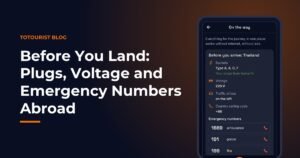
The ToTourist app covers several of the practical points above: travel documents stored encrypted on your phone, an offline map of your destination, a currency converter that works offline with the last rate, and arrival essentials for 196 countries – plug type, whether you need an adapter, voltage and emergency numbers. It is free on Android, needs no account, and your data stays on your phone.
For more ideas, read our guides to essential travel apps and packing hacks for budget travellers.
Some links in this article are affiliate links: if you book through them we may earn a small commission, at no extra cost to you.